What AI integration covers
A Feature Build adds one AI feature or integration to an app you already have. The most common are:
- An assistant that answers questions from your app's own data, through tools that look things up before it replies
- Smart search that finds records by meaning, not only by exact words
- Document reading that pulls fields out of PDFs, photos and uploads, such as invoices, receipts or statements
- Summaries of long records, threads or reports, so staff can read the short version first
One feature, scoped up front, shows what AI does for your users before you commit to more.
How we wire AI into your app
The feature works inside your app's rules, not around them.
- Your permissions apply. The AI reads through tools that run with the signed-in person's permissions, so it can't see what they can't.
- Read first, act with approval. Anything that creates, edits or sends goes to a person first.
- Only what's needed. A model receives only what a task needs, and we never use your data to train models.
- Everything is logged. Each AI action is recorded: what was asked, which tools ran and what came back.
Read more on security and data.
Usage limits and cost tracking
AI features cost money every time they run, so spending has to be visible and capped.
- Every request is metered, with limits per user or per plan.
- Model usage is billed at cost, never marked up.
- The model fits the job. We use Anthropic and OpenAI models through the Laravel AI SDK and pick the cheapest one that passes the tests.
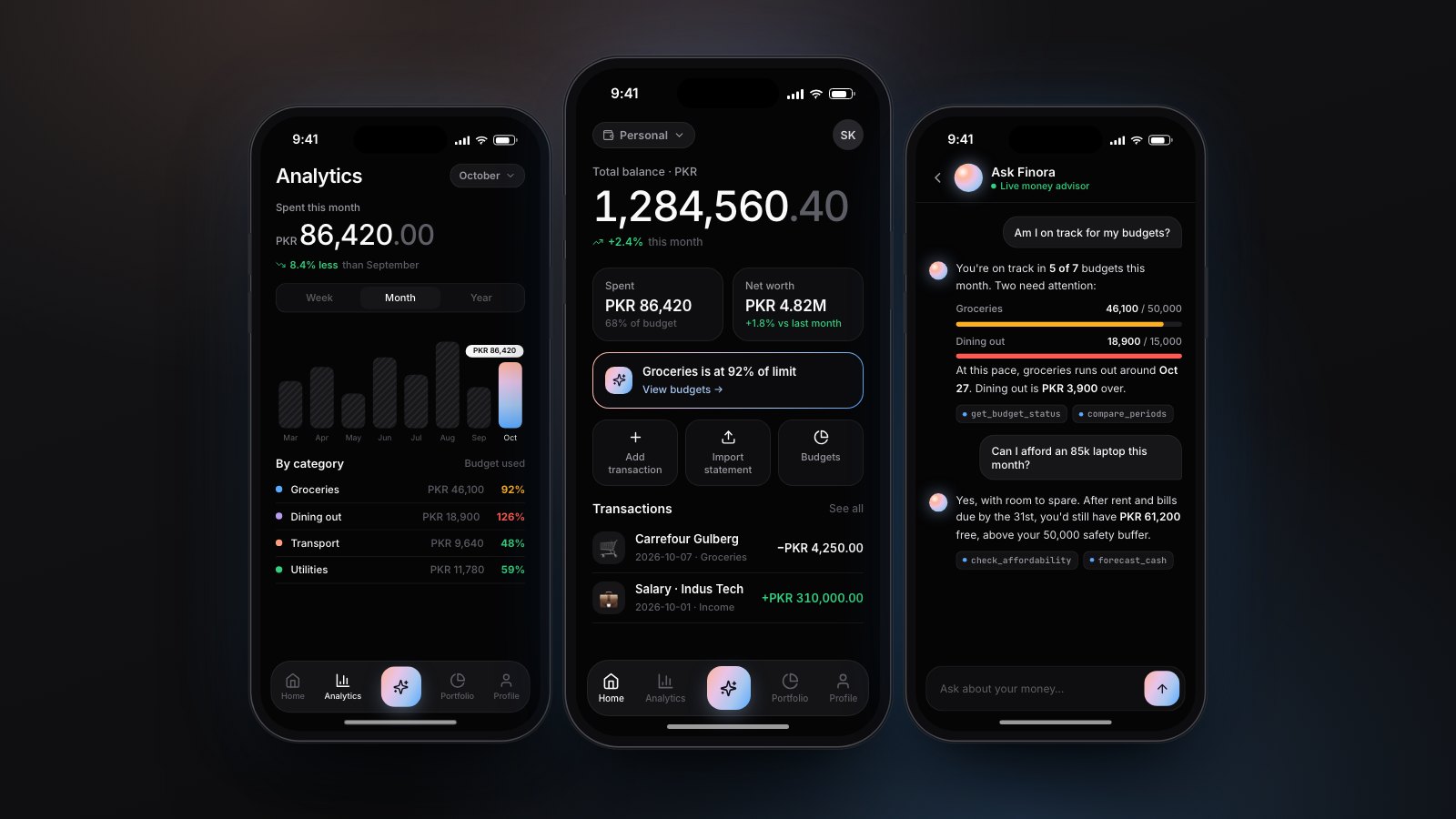
In Finora, our own finance app, AI usage is metered per plan and replies stream in real time.
AI features we have built
Every build below is labeled for what it is. These features were built into new systems, and the same pieces go into an app you already have.
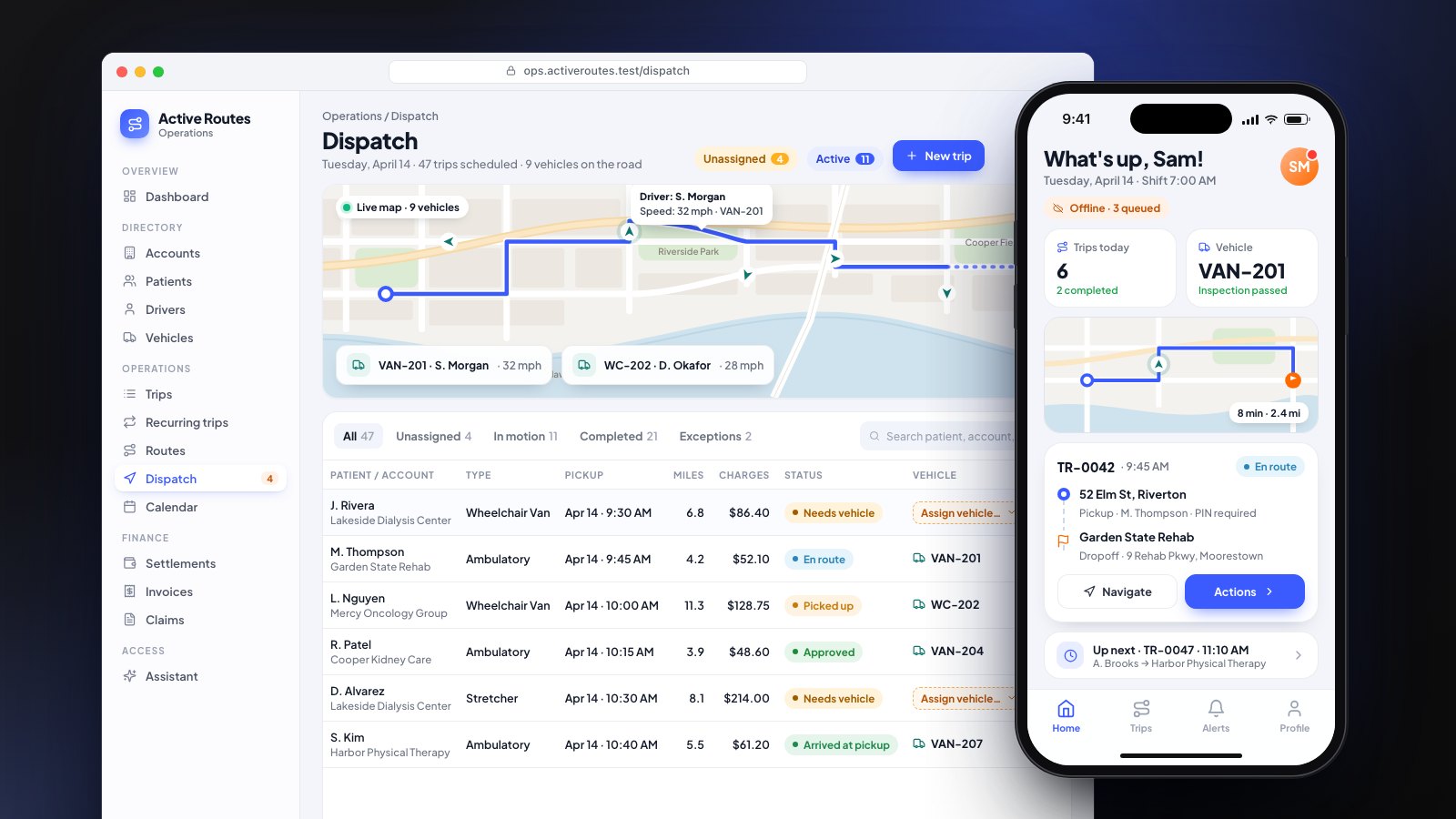
- Assistant over live data (client work). In a NEMT dispatch platform, staff ask an assistant about today's trips. It answers through ten read-only tools over live trip data.
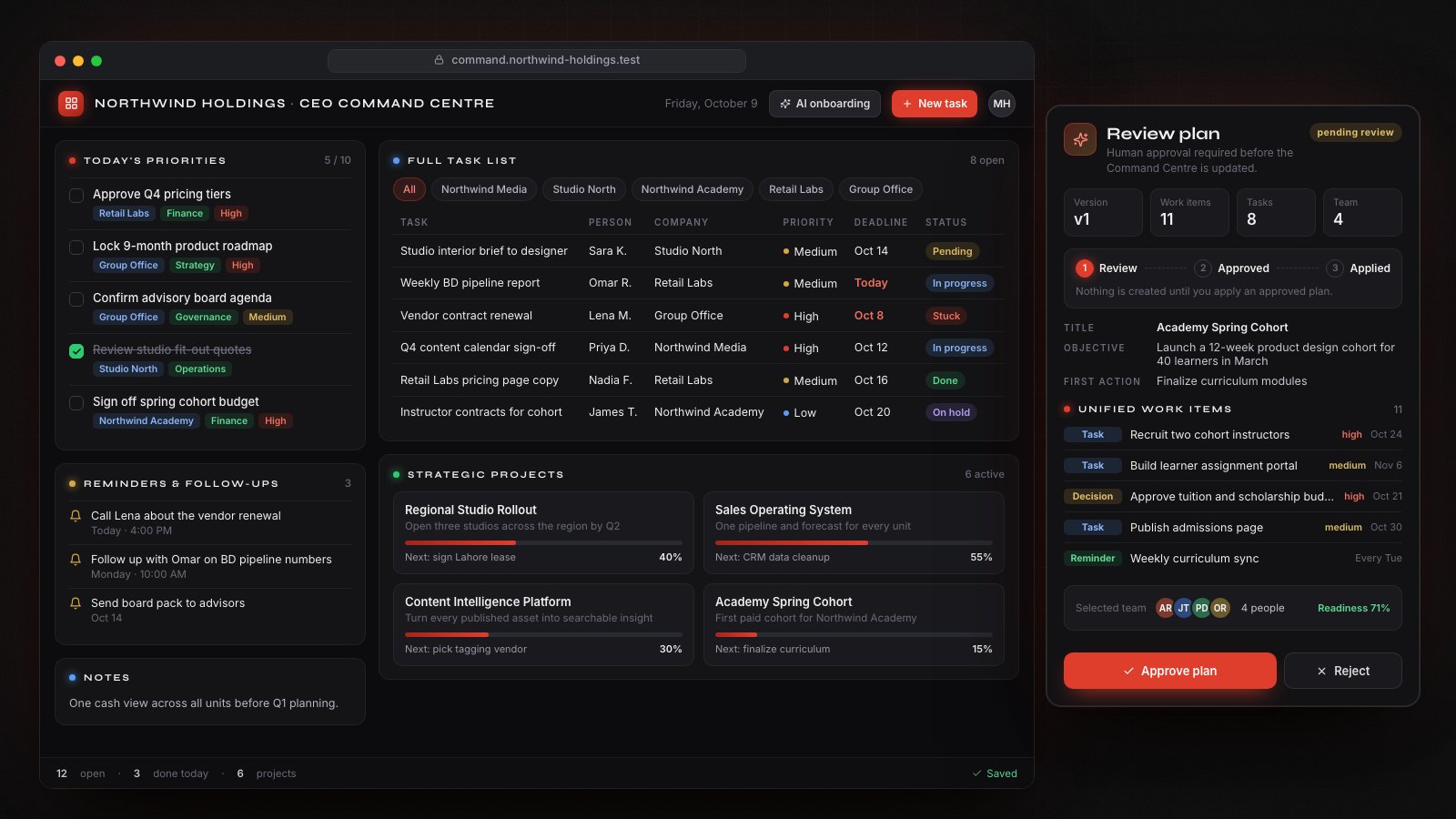
- Drafting with approval (client work). In an executive command center, an onboarding assistant turns a written brief into a proposed project plan. Nothing is saved until a person approves it.
- Document reading and agents (our own product). Finora imports bank statements in six formats, including PDF and images, reads receipts with OCR, and has two agents that cite the tool behind every figure. It's pre-launch.
- Site-scoped assistant (our own product). In SiteGuard, managers ask about one site's alerts, trends and investigations through ten read-only tools.
What we need before we start
- An app with its data in a database or behind an API we can reach
- One feature you want first, and the people who will use it
- Someone who can answer questions and approve the scope quickly
If you're not sure the data is reachable, the two-week, $950 AI Workflow Audit checks it and gives you a fixed quote. It's credited against a build started within 60 days.
Cost of adding AI to an existing app
Our prices are published, and you approve a fixed price before work starts.
- Feature Build, from $2,500: one AI feature or integration, scoped up front and wired into your data and permissions, with usage limits, cost tracking and a bug-fix window after launch.
- First AI Workflow, from $4,500: one agent connected to your systems, with tools, human approval, evaluation tests, logging and a handover. Usually three to six weeks once the scope is signed.
- Running costs: model usage and hosting, billed at cost.
See pricing, or read what moves the price in our guide to AI agent development cost.