What a field service app has to do
A field app works where the office can't see: in a van, on a roof, at a school gate. It has to keep working when signal drops, and it has to leave a record the office can trust.
Most field apps we're asked about need the same core:
- Today's jobs or trips, with the route and the details for each stop
- Check-ins that prove someone was there, using the phone's location
- Photo proof, attached to the job it belongs to
- Inspections and checklists, completed on the phone
- Offline sync, so work done without signal reaches the office later
- A back office, where staff assign work and see what happened
Field apps we have built
Every build below is labeled for what it is: client work, our own product or open source.
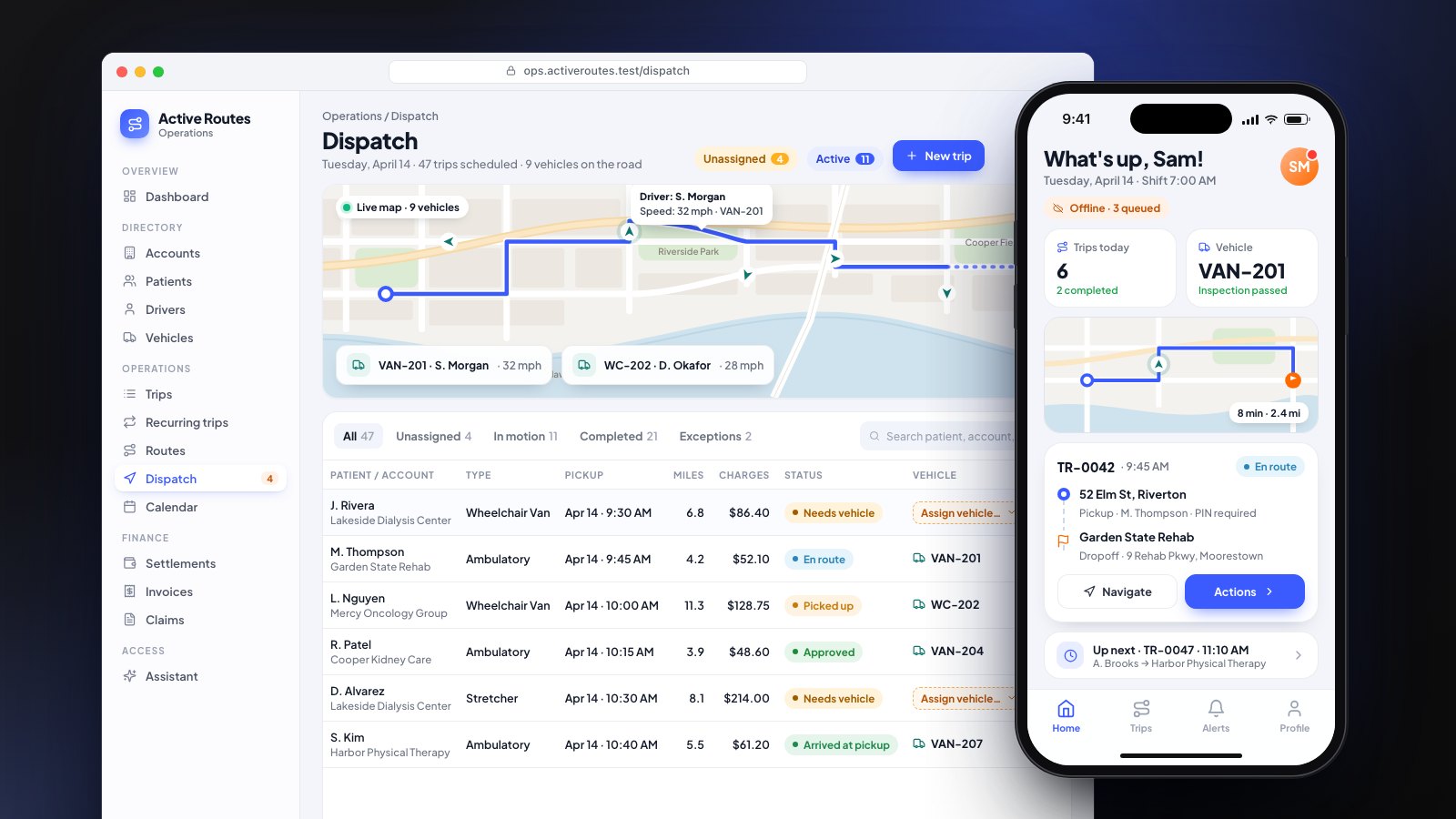
- NEMT driver app (client work). For a NEMT dispatch platform, drivers get today's trips and route, pre-trip inspections, geofenced arrival, photo proof of delivery and an offline queue that syncs when signal returns. The office works from a web dispatch board with a live map.
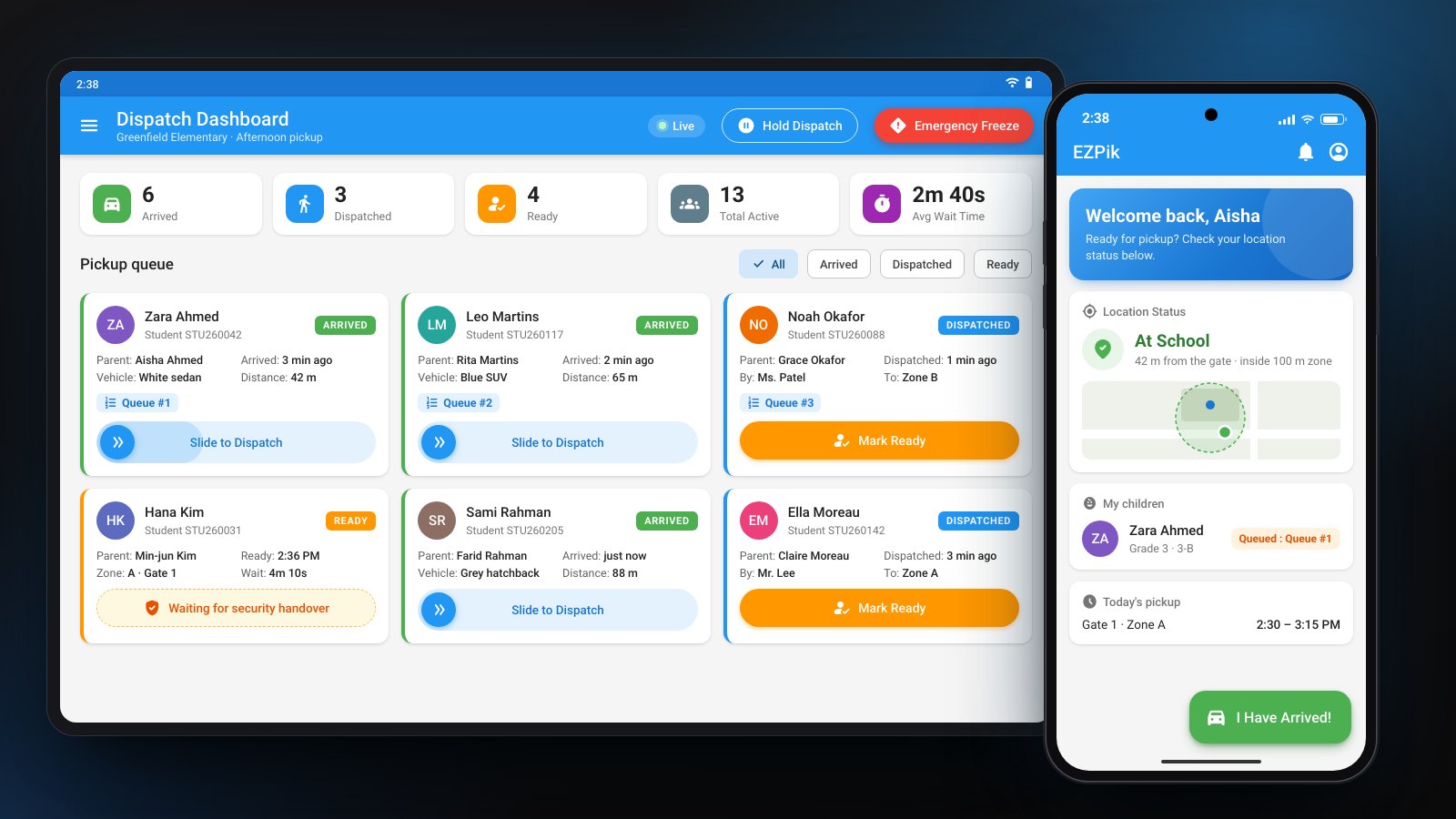
- School pickup apps (client MVP). For a school pickup safety system, we built three Flutter apps on one shared data model. Parents can only tap "I have arrived" within 100 meters of the school, and security staff scan for nearby parents over Bluetooth with short-lived tokens.
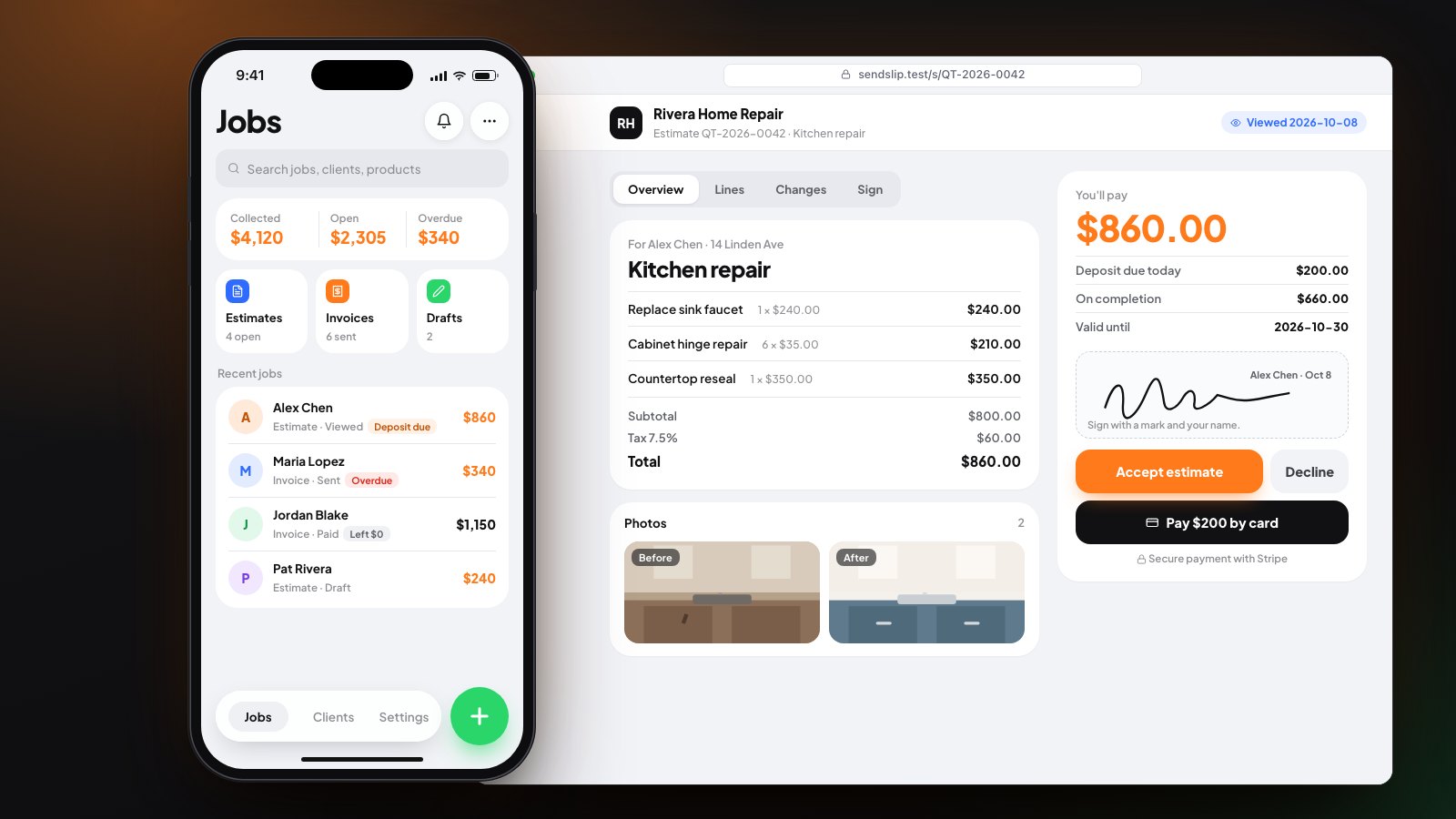
- SendSlip (our own product). SendSlip lets a tradesperson build an estimate on the job with before and after photos, then share a link the client can sign and pay. It keeps working without signal and syncs through an outbox. It runs on iOS, Android and the web, and it's built and tested but hasn't launched yet.
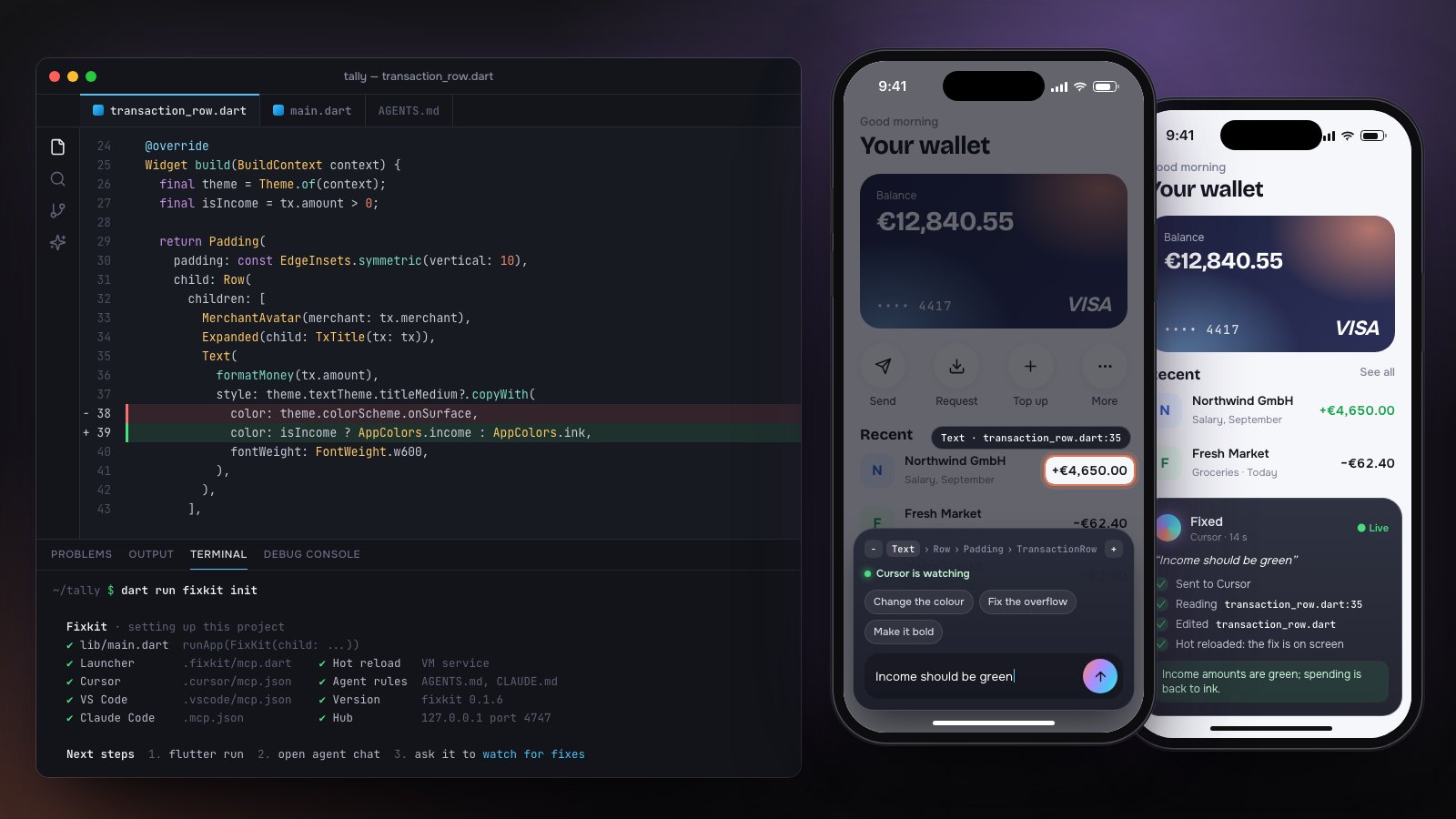
- Fixkit (open source). Fixkit is our open-source Flutter tool: long-press a widget in a running app, say what's wrong, and the AI agent in your editor fixes the code. It's an early release on GitHub.
Built to work without signal
Field staff lose signal in basements, parking garages and on rural roads. The app has to keep going.
- Work is saved on the phone first. In the NEMT driver app, actions go into an offline queue. In SendSlip, changes go into an outbox.
- Sync happens when signal returns, so nothing has to be entered twice.
- Each record keeps its history. In the NEMT build, every trip moves through a fixed set of statuses with a full history, so the office can trace what happened.
Check-ins, photo proof and inspections
These features turn a phone into a record of the work.
- Geofenced check-ins. The app checks that a person is where they say they are. The school pickup app only enables a parent's arrival within 100 meters of the school, and the NEMT driver app records geofenced arrival.
- Photo proof. Photos attach to the trip or job. NEMT drivers capture proof of delivery, and SendSlip jobs carry before and after photos.
- Inspections. NEMT drivers complete pre-trip inspections in the app, and the office platform warns before compliance documents expire.
- Signatures. SendSlip clients view, sign and accept an estimate from a shared link.
Adding AI to a field operation
AI usually belongs in the back office, where staff ask questions about the day. In the NEMT platform, staff ask an AI assistant about today's trips, and it answers through ten read-only tools over live trip data.
Anything an assistant would change goes to a person for approval first, and every AI action is logged. Read how we build these in AI agent development, or add one feature to an app you already have with AI integration.
Cost and timeline for a field service app
Our prices are published, and you approve a fixed price before work starts.
- AI Workflow Audit, $950: two weeks to map one workflow and check your data and systems, ending in a fixed quote. Credited if you build within 60 days. See the audit.
- Extended Build, from $6,500: an AI workflow plus a Flutter mobile app or an admin console, and more integrations.
- Dedicated developer, $31 to $36 an hour: a steady roadmap of app work on a 3 to 24 month contract. Our developers cover Flutter, Laravel and React.
A full field platform, like the NEMT office platform and driver app, is planned in phases, with something your team can use at the end of each one. See pricing for every plan.