The short answer
You build an AI agent in Laravel in four steps: install laravel/ai, create an agent class with php artisan make:agent, give it tools it can call with php artisan make:tool, and test it with the SDK's fakes so your test suite never calls a model. The rest of this guide shows each step with working code, then the parts most tutorials skip: keeping tools read-only, asking a person before anything changes, remembering conversations and capping cost.
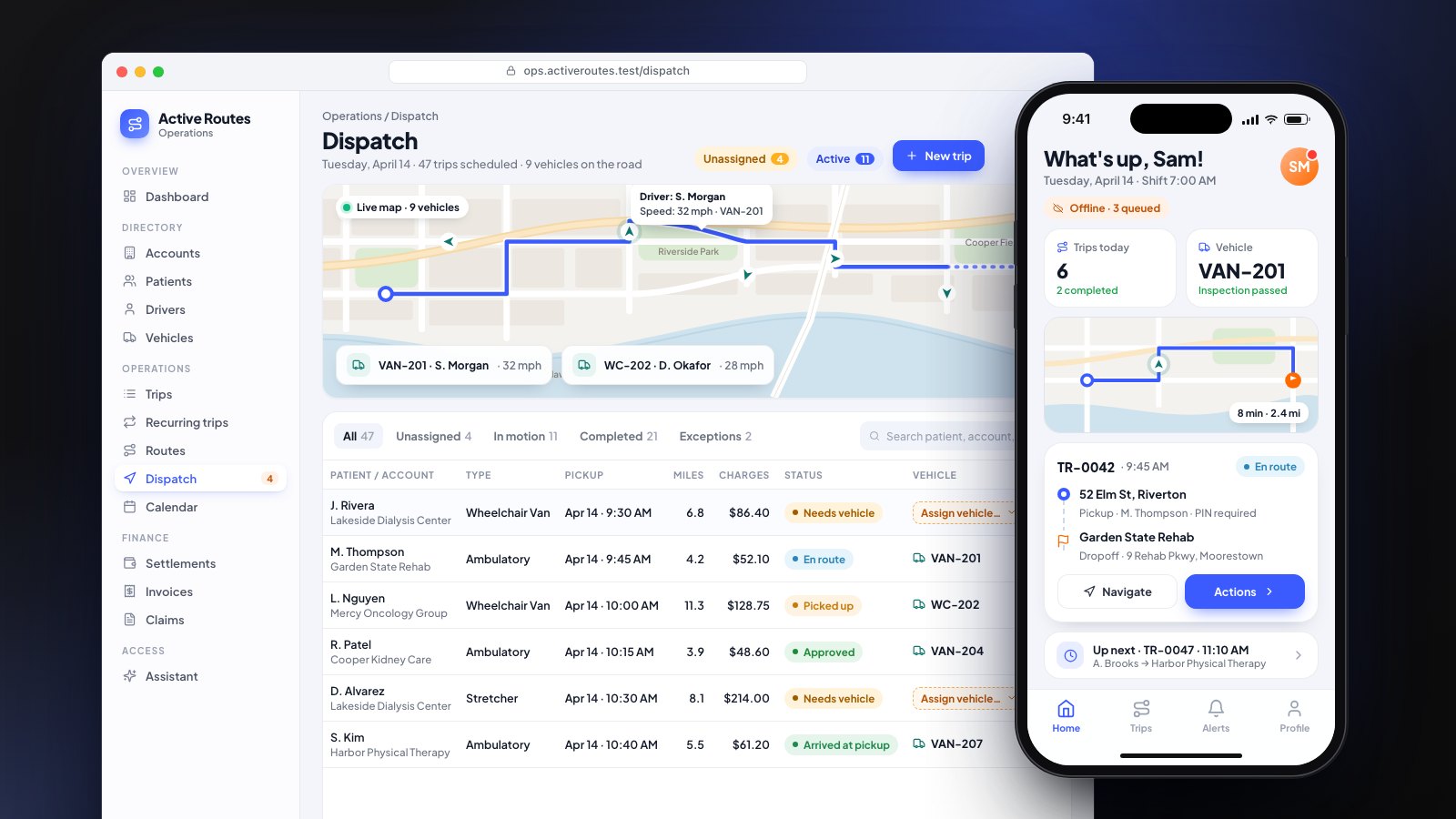
The code targets laravel/ai 1.2 on Laravel 13. The assistant on this website is built the same way: an agent class with one tool, which saves an enquiry only after the visitor agrees.
Install and configure the Laravel AI SDK
Install the package, publish its config and migrations, and run them:
composer require laravel/ai
php artisan vendor:publish --provider="Laravel\Ai\AiServiceProvider"
php artisan migrate
The migrations create two tables, agent_conversations and agent_conversation_messages. You only need them if your agent remembers conversations or asks for approval, but it does no harm to create them now.
Add a key for the provider you will use to .env:
ANTHROPIC_API_KEY=
OPENAI_API_KEY=
The SDK talks to Anthropic, OpenAI, Gemini, Azure, Bedrock, Groq, Mistral, DeepSeek, xAI, Ollama, OpenRouter and any OpenAI-compatible endpoint through one API, so switching provider is a one-line change rather than a rewrite.
Create your first agent
An agent is a class that holds the instructions, the tools and the settings for one job. Generate one:
php artisan make:agent DispatchAssistant
The class lands in app/Ai/Agents. Here is a small but real one: an assistant that answers a dispatcher's questions about today's trips.
<?php

namespace App\Ai\Agents;

use App\Ai\Tools\LateTrips;
use App\Models\User;
use Laravel\Ai\Attributes\MaxSteps;
use Laravel\Ai\Attributes\Provider;
use Laravel\Ai\Attributes\Timeout;
use Laravel\Ai\Contracts\Agent;
use Laravel\Ai\Contracts\HasTools;
use Laravel\Ai\Enums\Lab;
use Laravel\Ai\Promptable;

#[Provider(Lab::Anthropic)]
#[MaxSteps(4)]
#[Timeout(60)]
class DispatchAssistant implements Agent, HasTools
{
    use Promptable;

    public function __construct(private User $user) {}

    public function instructions(): string
    {
        return <<<'TEXT'
        You help dispatchers with today's trips.
        Answer only from what your tools return. If a tool returns nothing, say so.
        Never guess a time, a driver or an address. Keep answers to a few short lines.
        TEXT;
    }

    public function tools(): iterable
    {
        return [new LateTrips($this->user)];
    }
}
Prompt it from a controller, a job or Tinker:
$response = DispatchAssistant::make(user: $request->user())
    ->prompt('Which pickups are running late?');

return (string) $response;
make() resolves the agent from the container, so constructor dependencies are injected. MaxSteps caps how many model calls one question may take, which is your first cost control: each tool call costs another step.
Give the agent tools
A tool is how the agent reads your data. The model decides when to call it and with what arguments; your code decides what it is allowed to see. Generate one:
php artisan make:tool LateTrips
<?php

namespace App\Ai\Tools;

use App\Models\Trip;
use App\Models\User;
use Illuminate\Contracts\JsonSchema\JsonSchema;
use Laravel\Ai\Contracts\Tool;
use Laravel\Ai\Tools\Request;
use Stringable;

class LateTrips implements Tool
{
    public function __construct(private User $user) {}

    public function description(): Stringable|string
    {
        return 'List today\'s trips whose pickup is running late, with minutes late and the assigned driver.';
    }

    public function handle(Request $request): Stringable|string
    {
        $validated = $request->validate([
            'min_minutes_late' => ['nullable', 'integer', 'min:1', 'max:240'],
        ]);

        $trips = Trip::query()
            ->whereBelongsTo($this->user->company) // the agent sees only this company
            ->whereDate('pickup_at', today())
            ->lateBy($validated['min_minutes_late'] ?? 10)
            ->with('driver:id,name')
            ->limit(25)
            ->get(['id', 'reference', 'pickup_at', 'driver_id']);

        if ($trips->isEmpty()) {
            return 'No pickups are running late.';
        }

        return $trips->map(fn (Trip $trip) => sprintf(
            '%s: %d min late, driver %s',
            $trip->reference,
            $trip->minutesLate(),
            $trip->driver?->name ?? 'unassigned',
        ))->implode("\n");
    }

    public function schema(JsonSchema $schema): array
    {
        return [
            'min_minutes_late' => $schema->integer()->min(1)->max(240)
                ->description('Only trips at least this many minutes late. Defaults to 10.'),
        ];
    }
}
Trip, lateBy() and minutesLate() stand in for your own model and scopes. Three details matter more than the rest:
- Scope every query to the signed-in user. The tool receives the user in its constructor and filters by their company. The model never chooses whose data it reads.
- Validate the arguments.
$request->validate()uses Laravel's normal rules. When validation fails, the messages go back to the model as the tool result, so it can correct itself and call again. - Return little, as text. A capped list of short lines is cheaper and easier for the model to use than a JSON dump of every column.
Keep tools read-only by default
Our rule for client builds is that tools read and people change. An agent with ten read-only tools can answer most operational questions safely, because the worst outcome of a bad answer is a wrong sentence, not a wrong record. When an agent must change something, put that one action behind human approval.
Require human approval before an action
Since version 0.10, the SDK can pause an agent before a tool runs and wait for a person. Make the tool approvable by implementing Approvable and using the InteractsWithApprovals trait:
<?php

namespace App\Ai\Tools;

use App\Models\Trip;
use Illuminate\Contracts\JsonSchema\JsonSchema;
use Laravel\Ai\Approvals\Approval;
use Laravel\Ai\Concerns\InteractsWithApprovals;
use Laravel\Ai\Contracts\Approvable;
use Laravel\Ai\Contracts\Tool;
use Laravel\Ai\Tools\Request;
use Stringable;

class ReassignTrip implements Approvable, Tool
{
    use InteractsWithApprovals;

    public function description(): Stringable|string
    {
        return 'Move a trip to another driver. A dispatcher must approve it first.';
    }

    public function handle(Request $request): Stringable|string
    {
        // Runs only after a person approved this exact call.
        $trip = Trip::findOrFail($request['trip_id']);
        $trip->reassignTo($request['driver_id']);

        return "Trip {$trip->reference} reassigned.";
    }

    protected function needsApproval(Request $request): Approval|bool
    {
        return Approval::required('Reassigning a trip changes a driver\'s schedule.');
    }

    public function schema(JsonSchema $schema): array
    {
        return [
            'trip_id' => $schema->integer()->required(),
            'driver_id' => $schema->integer()->required(),
        ];
    }
}
Approval needs the paused turn's history when you resume, so the agent must remember its conversation (next section). When a tool asks for approval, the response comes back paused:
$response = DispatchAssistant::make(user: $user)
    ->forUser($user)
    ->prompt('Give trip T-1042 to Sara instead.');

if ($response->hasPendingApprovals()) {
    foreach ($response->pendingApprovals as $approval) {
        // $approval->id, $approval->tool, $approval->arguments, $approval->reason
    }
}
Show the pending call to the dispatcher. When they decide, resume with one decision per call:
use Laravel\Ai\Approvals\Decision;
use Laravel\Ai\Approvals\Decisions;

$response = DispatchAssistant::make(user: $user)
    ->continue($conversationId, as: $user)
    ->prompt(Decisions::from([
        $approvalId => Decision::approve(),
    ]));
Decision::reject('Sara is off today.') sends the reason back to the model so it can answer the dispatcher. Authorize the conversation before you resume it: the SDK matches the paused turn by conversation and tool call, not by who is asking.
Remember the conversation
Add the RemembersConversations trait and the Conversational contract, and the SDK stores every turn in its tables and reloads the history on the next prompt:
use Laravel\Ai\Concerns\RemembersConversations;
use Laravel\Ai\Contracts\Conversational;

class DispatchAssistant implements Agent, Conversational, HasTools
{
    use Promptable, RemembersConversations;

    // instructions(), tools() as before. Do not define messages() yourself.
}
Start a conversation with forUser($user), keep $response->conversationId, and pass it back with continue($conversationId, as: $user) on the next message. Before continuing an ID that came from the browser, check it belongs to the user, for example with the conversation store's conversationBelongsTo() method or a policy on the Conversation model.
Answer from your own documents (RAG)
For questions about policies, manuals or help articles rather than live records, give the agent a similarity search tool over embedded documents. On PostgreSQL with pgvector (or MariaDB), store an embedding column and add:
use App\Models\Document;
use Laravel\Ai\Tools\SimilaritySearch;

public function tools(): iterable
{
    return [
        new LateTrips($this->user),
        new SimilaritySearch(using: fn (string $query) => Document::query()
            ->whereBelongsTo($this->user->company)
            ->whereVectorSimilarTo('embedding', $query)
            ->limit(5)
            ->get()),
    ];
}
Use tools for live data (a trip's status changes every minute) and retrieval for written knowledge (the cancellation policy does not). Most useful agents need both, and the scoping rule applies to search exactly as it does to queries.
Stream the answer
For a chat screen, return a stream from the route instead of waiting for the whole reply:
Route::post('/assistant', function (Request $request) {
    return DispatchAssistant::make(user: $request->user())
        ->forUser($request->user())
        ->stream($request->string('message'));
});
The response is sent as server-sent events. If your frontend uses Vercel's useChat, add ->usingVercelDataProtocol() and approval requests arrive in the format it already renders.
Test your agent without calling a model
Every agent gets a fake() method. Your feature tests check your own code (routes, permissions, what gets saved) while the model's reply is fixed:
public function test_dispatchers_get_an_answer(): void
{
    DispatchAssistant::fake(['T-1042 is 18 minutes late.']);

    $this->actingAs($dispatcher)
        ->postJson('/assistant', ['message' => 'Which pickups are running late?'])
        ->assertOk();

    DispatchAssistant::assertPrompted('Which pickups are running late?');
}
Test tools directly, because they hold the logic that must never be wrong, such as scoping:
use Laravel\Ai\Tools\Request;

public function test_late_trips_never_shows_another_company(): void
{
    $other = Trip::factory()->late(30)->create(); // another company's trip

    $reply = (string) (new LateTrips($dispatcher))->handle(new Request([]));

    $this->assertStringNotContainsString($other->reference, $reply);
}
The SDK also has assertNeverPrompted() and assertPromptedTimes(). Prompt quality is a separate job: keep a short list of real questions with expected answers and run it by hand against the live model whenever you change instructions or switch model.
Control cost and keep a record in production
A few settings keep a production agent predictable:
- Cap steps and tokens.
#[MaxSteps]limits tool loops;#[MaxTokens]limits reply length. - Stop runaway runs. The SDK's
Stopmiddleware can end a run when it passes an input-token budget or when the user presses stop. - Cache the fixed part of the prompt. On Anthropic,
#[CacheInstructions]and#[CacheToolDefinitions]let repeat requests read long instructions from the cache at a discount. - Log every tool call. Stored conversations already record each tool call and result. Add your own audit row for anything an approved tool changed.
- Fail over. Pass several providers to
#[Provider([...])]and the SDK tries the next when one is overloaded.
Model usage is billed per token by the provider, so these limits are what keep a monthly bill close to the estimate. Our AI agent cost guide covers build and running costs in more detail.
What to build next
Start with one read-only tool that answers the question your team asks most often, ship it to a few users, and read the stored conversations for a week. Add a second tool only when the logs show people asking for it, and put any tool that changes data behind approval.
If you would rather have it built, we build Laravel AI agents and features on this SDK, with read-only tools, approval and tests included. See how we handle your data or the NEMT dispatch platform we built with an AI assistant on live trip data.
Sources
- Laravel, AI SDK documentation (13.x)
- Laravel News, Laravel AI SDK adds human-in-the-loop tool approval